GIA 0.4.0 Beta Release In:
Rear Observations Home of GIA, the global intelligence workstation
Live · OSINT · GEOINT · Every item sourced

Every conflict. Every source. One map.

GIA, Global Intelligence Analysis, is a professional workstation for open-source and geospatial intelligence. It fuses live reporting from more than 300 official and open sources, military and 911 data onto one map, grades every item and links it to the original, for OSINT analysts, GSOC and TOC operators, and the advisors who brief them.

Free · Windows 10 and 11 · No account needed to start · Updated 13 November 2026

Watch GIA live on Twitch and YouTube: it tours the world's conflicts, chokepoints and hotspots, with the figures for each. Type !show and a place in the Twitch chat and it goes there next.

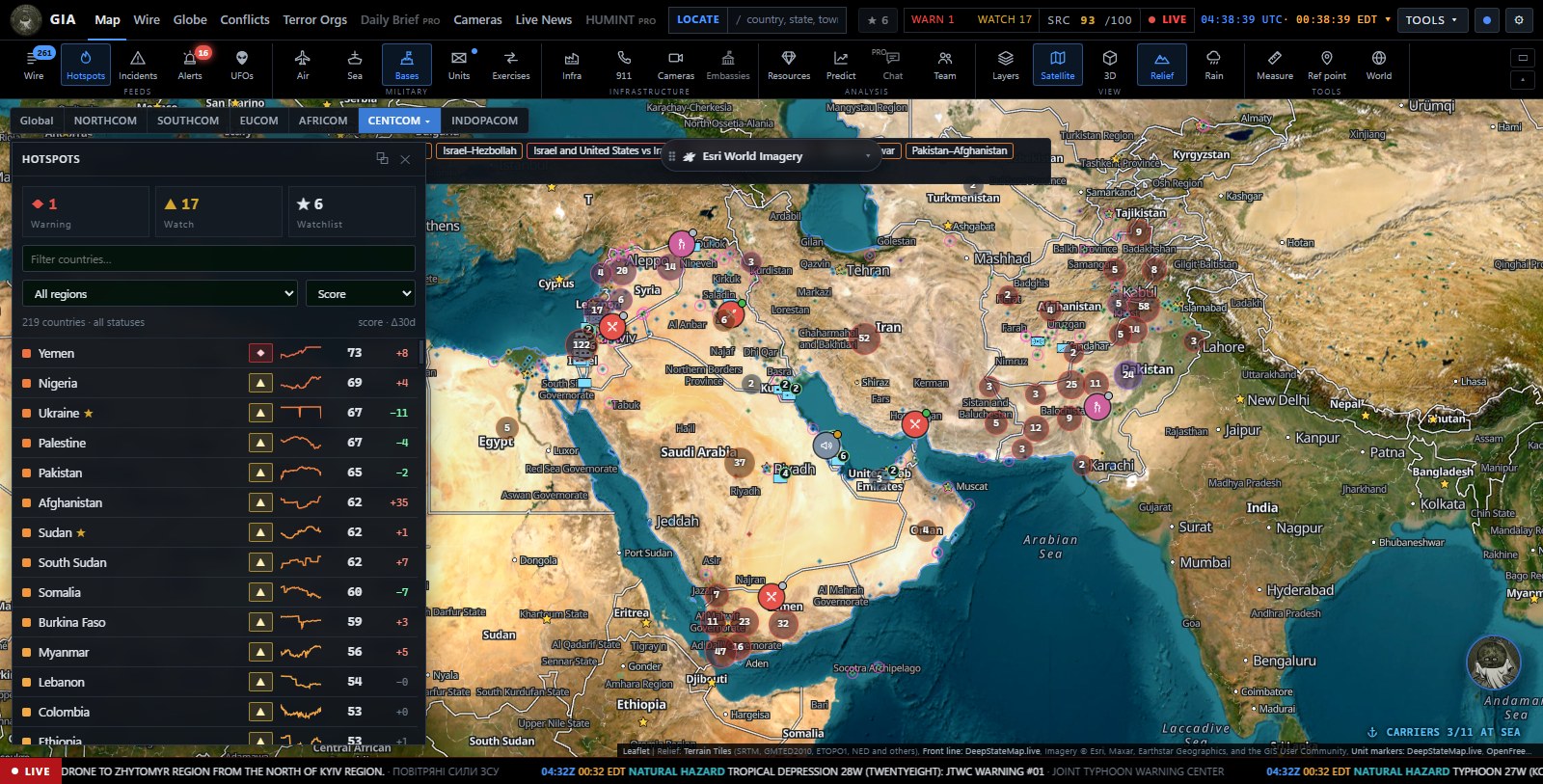
GIA · MAP · CENTCOM
GIA's map of U.S. Central Command over satellite imagery: each country's tension score from Yemen and Palestine to Iran and Israel, military bases and units in NATO symbols, and the conflicts of the moment
300+official, research and news sources
A1–F6Admiralty grade on every item
6,000military units at their home bases, in NATO symbols
2,200aircraft, ship and vehicle types in 142 countries' service
138US police, fire and EMS feeds on the 911 map in 35 states and DC, from New York and Boston to Dallas, Seattle and Honolulu
0adverts, trackers or analytics

In active development. GIA began as a private passion project and grew into the intelligence platform it is today. It isn't ready for full release yet: it needs more time to cook. Updates are posted here and on Instagram as it moves forward, and GIA itself streams live on Twitch and YouTube.

Imagery and detail

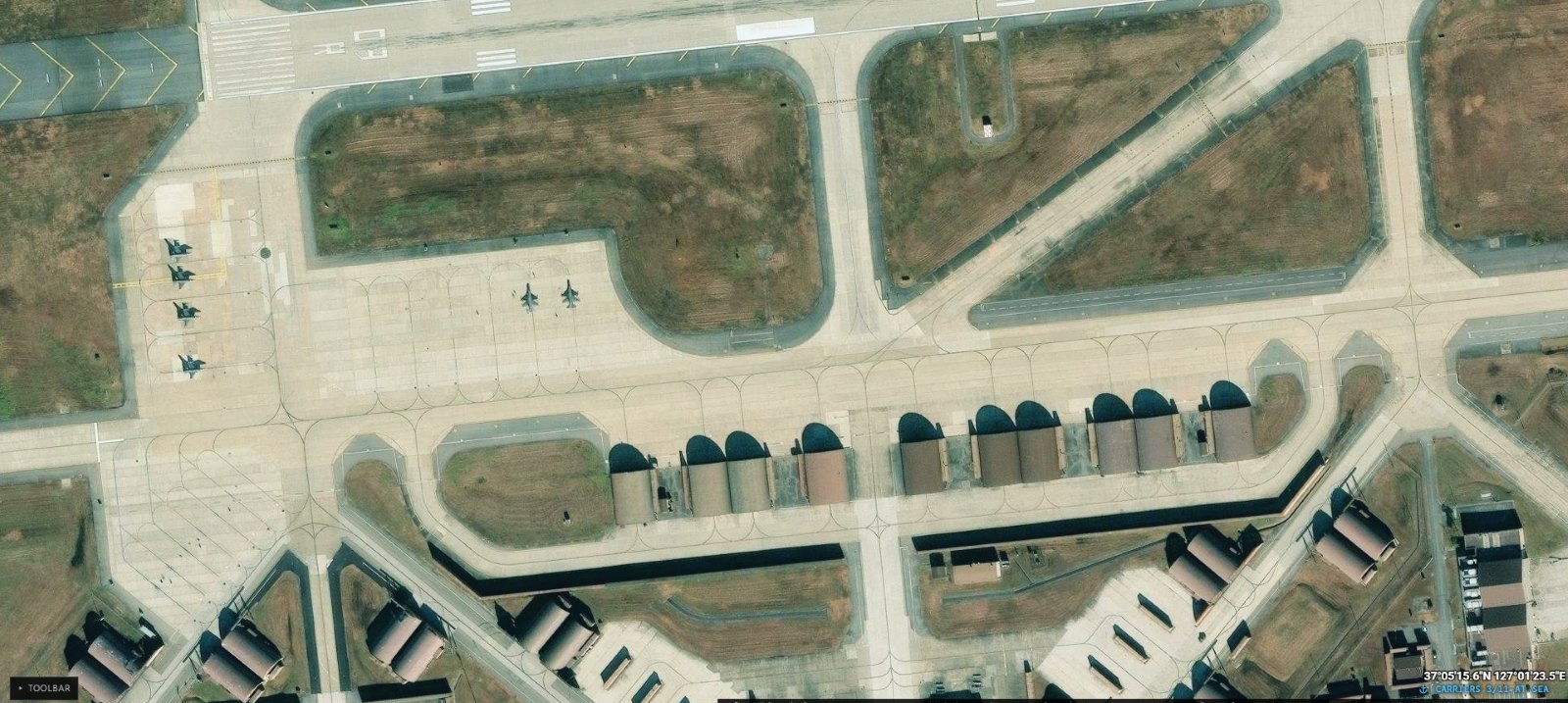
From a whole theatre to a single aircraft.

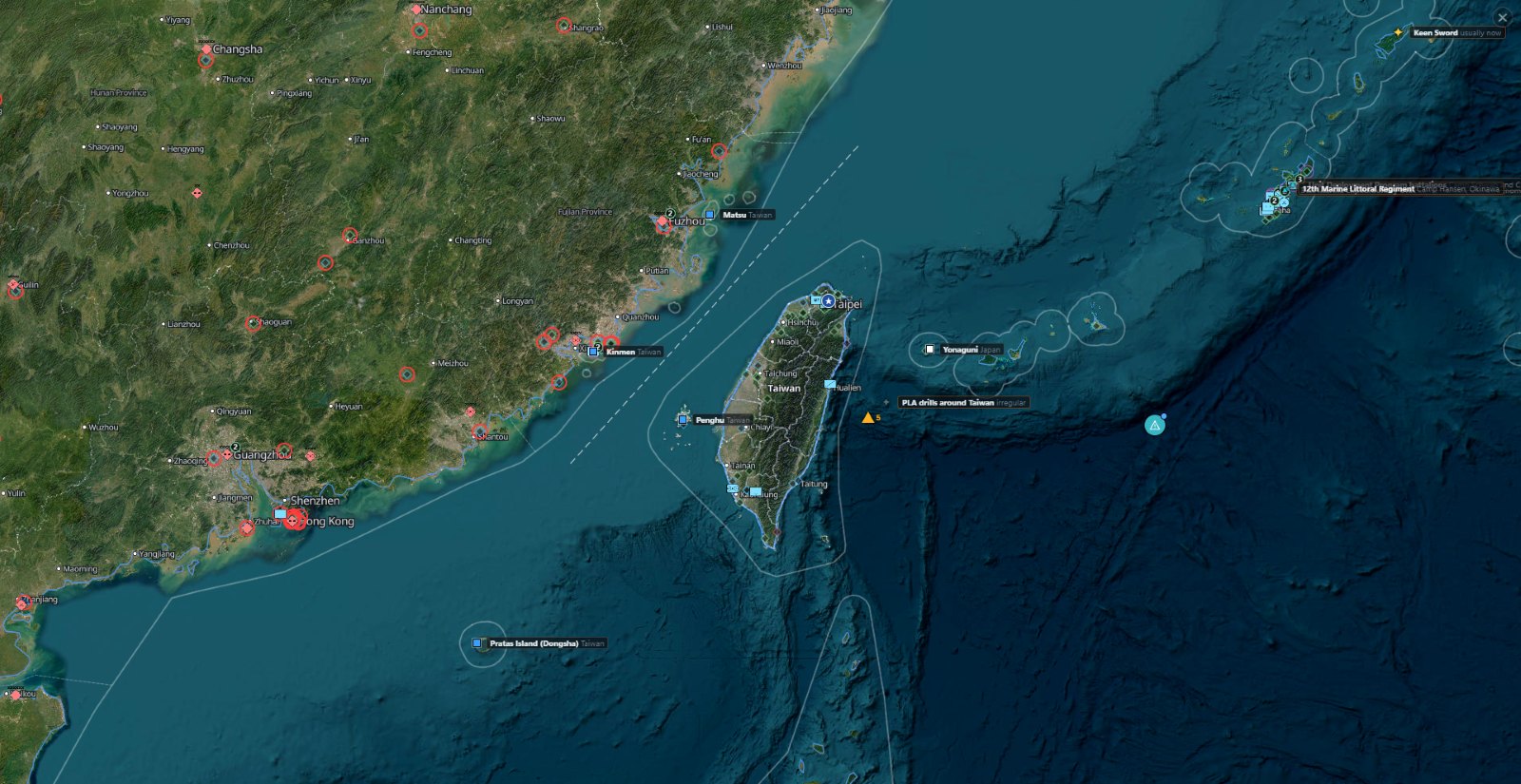
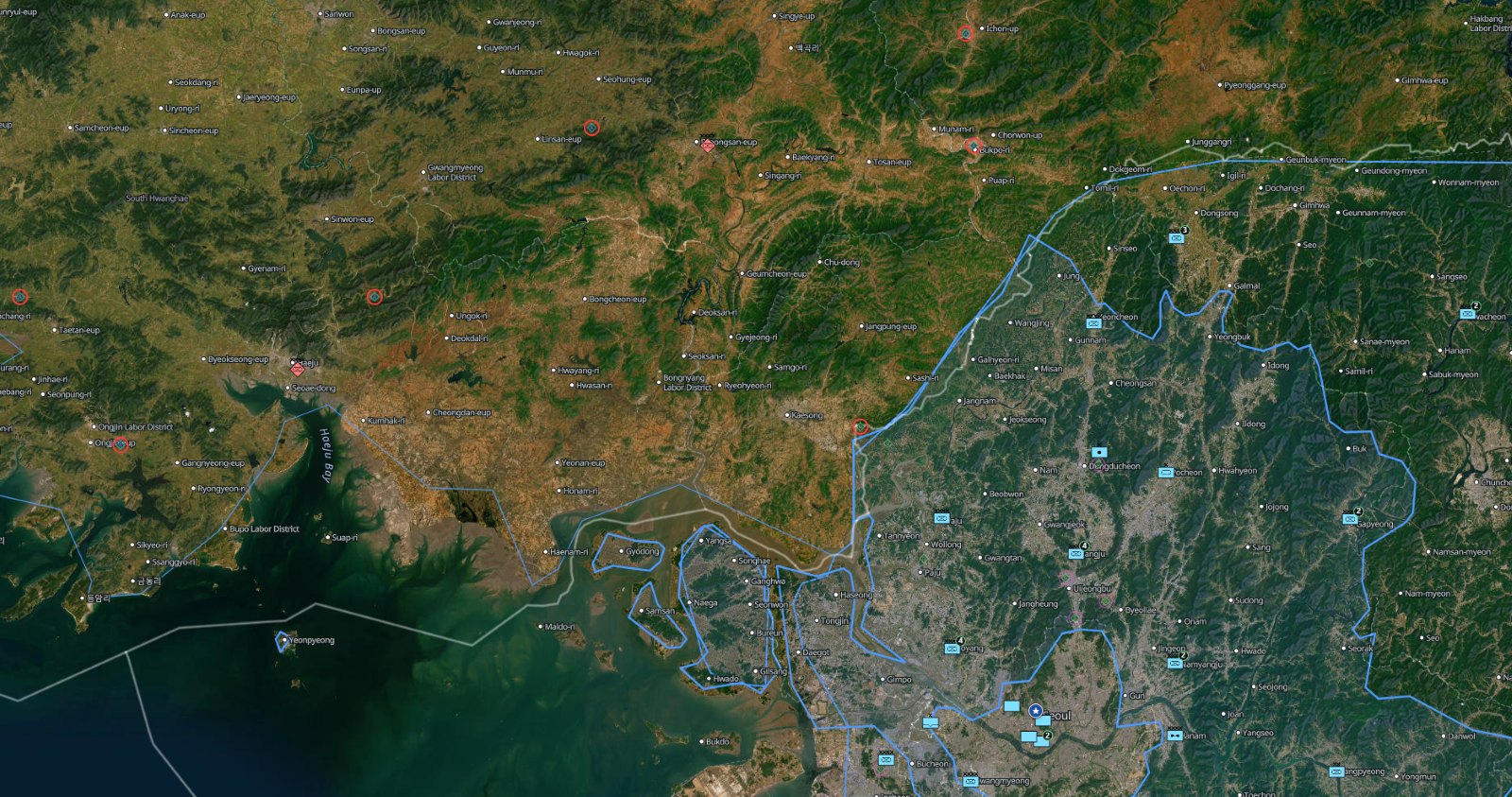
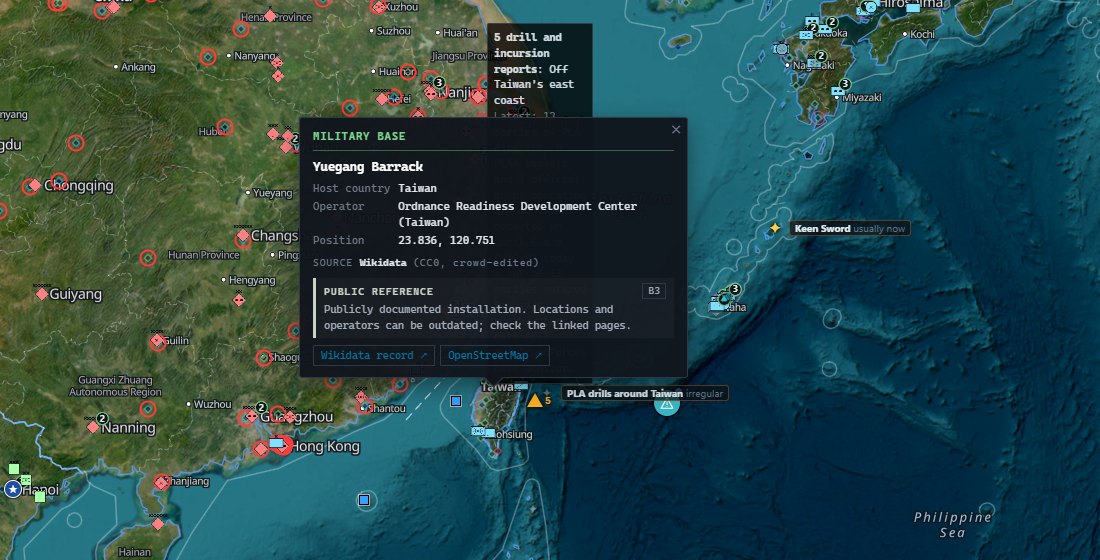
Switch between satellite sources and maps in one click, and keep every layer on top: units and bases in NATO symbols, front lines, maritime boundaries, live reports. Sharp satellite imagery comes with GIA Pro, with no keys of your own to set up.

Imagery: Esri, Maxar, Earthstar Geographics; Sentinel-2 cloudless by EOX. GIA also offers Google and NASA VIIRS imagery, tactical and street maps.

Built for

One workstation for the people who watch the world.

GIA is a professional suite for open-source and geospatial intelligence: the live picture, the evidence behind it, and the analysis on top, on one screen or across several.

OSINT analysts

Every item names its source, carries an Admiralty grade and links to the original.

  • The Wire: more than 250 official, military, research and news feeds, filtered by type, source and time
  • Verification status on every report; single-source and state-media items labelled
  • Geolocated incidents, unit sightings and imagery on one map
  • CSV exports of countries, scores and history

GSOC and TOC operators

A common operating picture that follows your area of responsibility.

  • Incidents, air-raid alerts and 911 calls in real time, narrowed to any combatant command
  • NATO military symbols, unit locations, front lines, ships and aircraft
  • Any panel or brief on its own monitor, kept in sync with the main map
  • Range and bearing, reference points, and one key for every screen and tool

Intelligence and risk analysts

Structured judgements, kept apart from the facts they rest on.

  • Tension scores with their factors and confidence, and a 30-day outlook
  • Conflicts with the documented basis for every party's role
  • Orders of battle, equipment and terror-group profiles for every country
  • PDF country briefs for a client or a team

Advisors and geopolitical watchers

The bottom line, the reasoning, and what to watch next.

  • The Daily Brief at 08:00 US Eastern, with numbered evidence
  • Gia, an advisor that runs on your own computer
  • Simulation of today's crises, fought by each side's doctrine
  • The HUMINT course from the public U.S. Army manual
Analytic standards

Evidence first. Judgement labelled.

GIA follows the conventions analysts already use, so its output can be checked, briefed and defended.

Admiralty grading

Every item carries the NATO Admiralty code: the source's reliability (A to F) and the information's credibility (1 to 6), shown beside it on every report.

Facts apart from judgements

Facts come with numbered evidence. Judgements use the U.S. Intelligence Community's standard likelihood terms (ICD 203) with a stated confidence and the period they cover, and never stand in for a fact.

Provenance on every item

A link to the original, the time in UTC and in your own zone, and the source's own words. Official statements are labelled as the body's own claim.

Labels that do not flatter

State media, single-source reports and unverified social posts are marked as such and never confirm themselves. Unverified posts stay out of the Daily Brief.

Gaps named, judgements scored

When a source is down, late or silent, GIA says so. Where data is thin, the brief names the gap instead of filling it with a guess. Past judgements are scored: mark what came true and see whether "very likely" really held 80 to 95% of the time.

Analysis on your machine

The only AI is a free, open model running on your own computer. Your questions, notes and keys never leave it.

What GIA does

Know what is happening, and who says so.

GIA keeps facts and judgements apart. Facts come with their source and how well they are confirmed; assessments are labelled, with their likelihood and confidence. Pick a tab, or take the full tour.

The map and the Wire Free

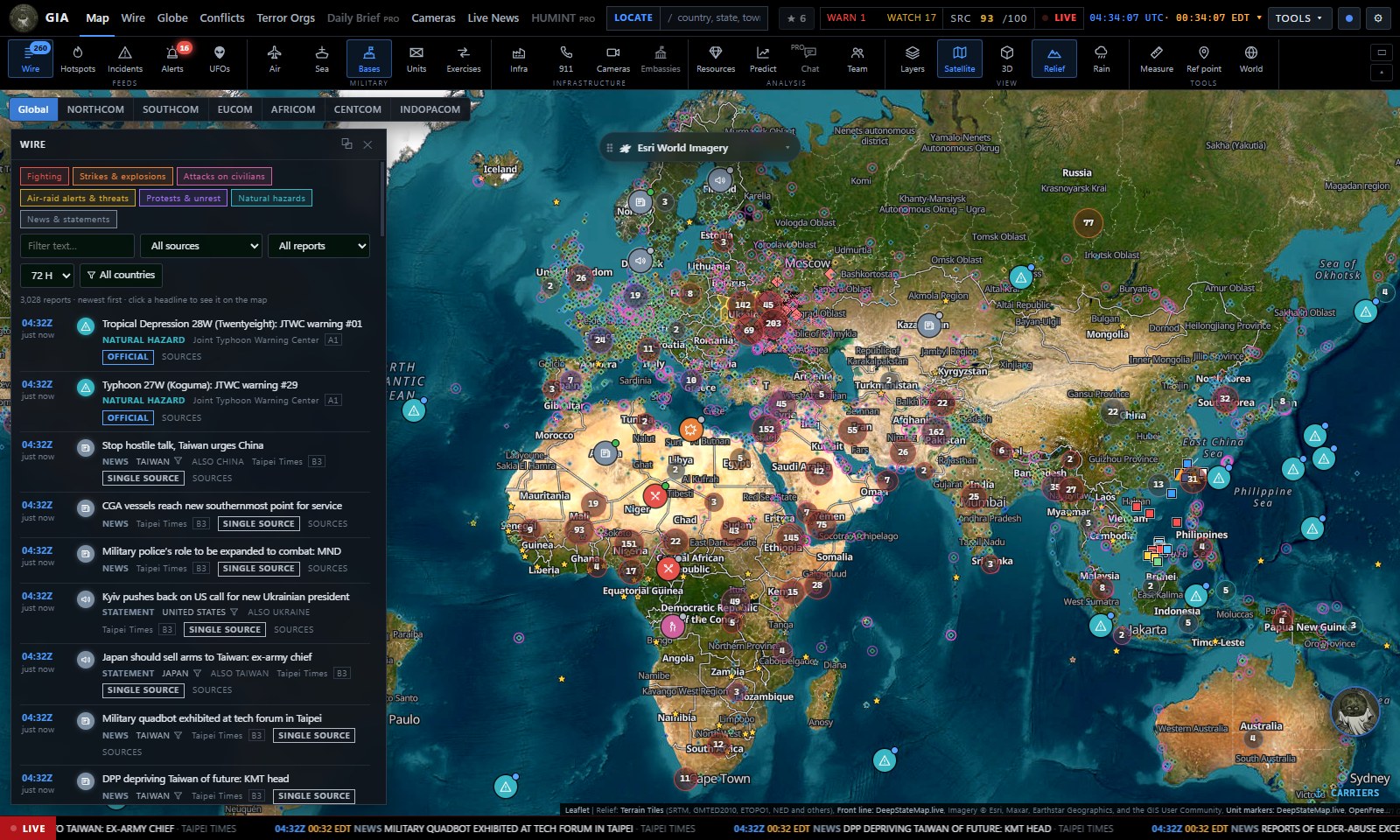
Fighting, strikes, air-raid alerts, protests and natural hazards as they are reported, on a map you can read at a glance, with the Wire beside it.

  • Each report shows its source, Admiralty grade (A1 to F6), verification status and a link to the original
  • Official statements are labelled as the body's own words; state media and single-source reports say so
  • Layers for ships, aircraft, military bases, front lines, infrastructure, fires, rainfall, air quality and live cameras
  • Filter by region, incident type, source and time window
More in the tour →
GIA's map with the Wire over satellite imagery: live explosion, strike and news reports, each with its source, grade and verification status

Units, orders of battle and equipment Free

Where the world's military units are, how they are organised, and what they fight with, drawn with NATO military symbols (APP-6).

  • About 6,000 units at some 2,700 home bases worldwide, grouped under their commands, with a switch for each U.S. combatant command's area
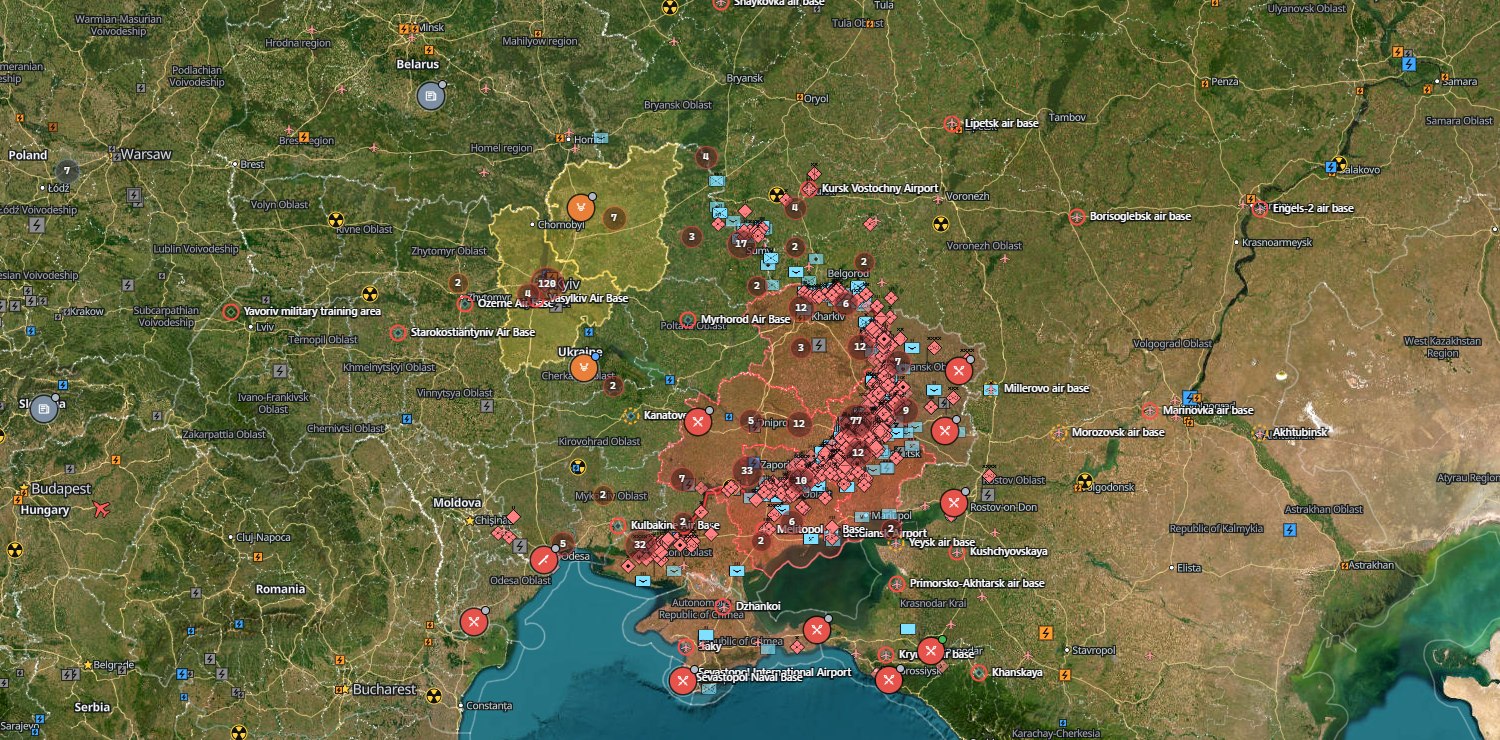
  • Russian and Ukrainian units on the Russia–Ukraine war map at their last geolocated sighting, with full NATO symbols
  • Each country's equipment: aircraft, ships and submarines, ground vehicles, small arms, artillery and air defence, sensors and radios, each with photos
  • An order of battle for every country, from the top command down to battalions, grouped by purpose, with insignia for about 7,600 units
More in the tour →
The Russia–Ukraine front on GIA's map over satellite imagery: Ukrainian units in blue and Russian units in red, drawn with NATO military symbols, among strike and fighting reports

US police, fire and EMS calls Free

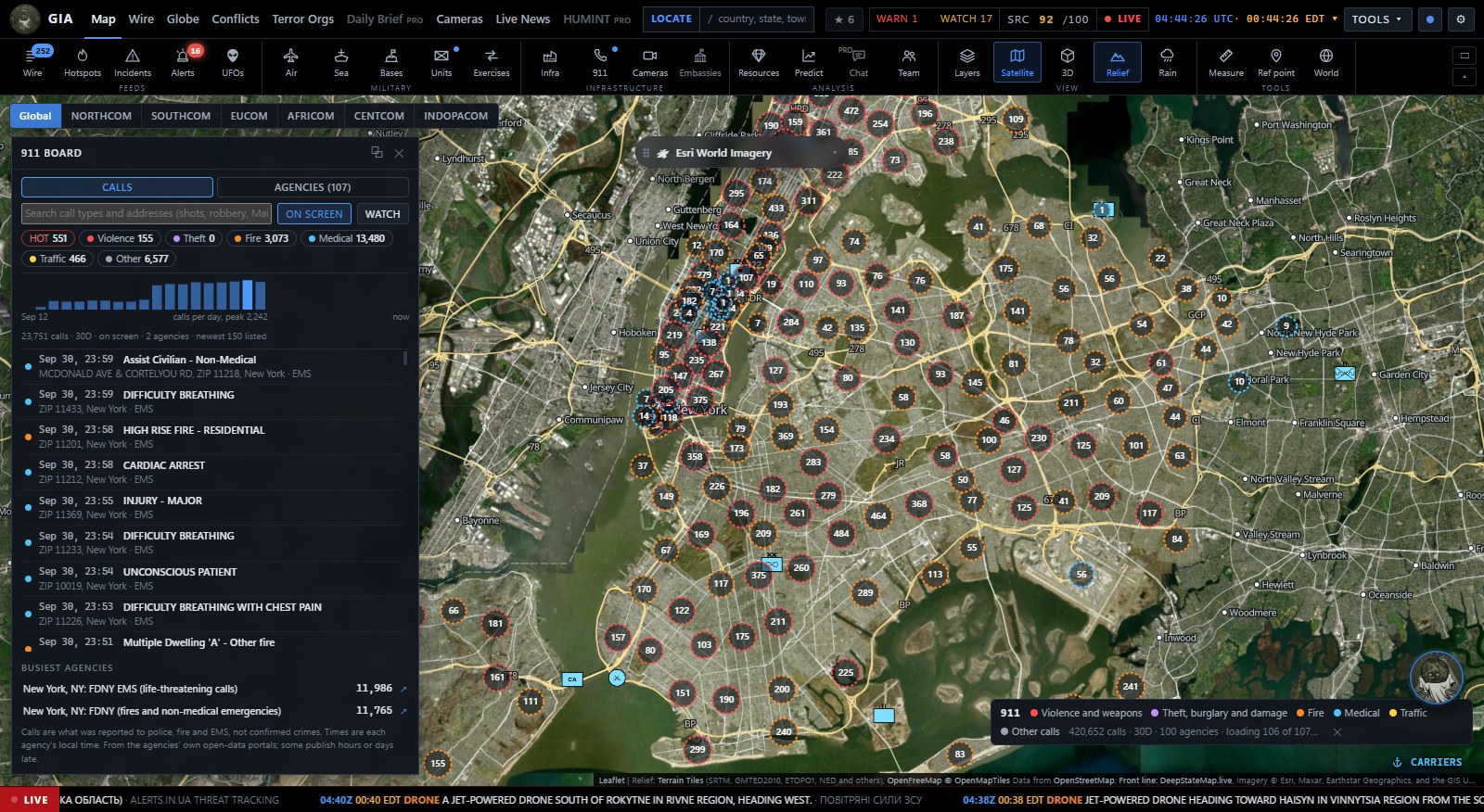
Dispatched 911 calls and reported crimes from US agencies' own open-data portals, on the map within minutes of publication, with district counts where an agency publishes no locations.

  • Police, Fire and EMS switches, and a window from the last 24 hours to a full year
  • The 911 board: the calls on screen as a dispatch list, newest first, with hot calls (gunfire, stabbings, armed robbery, working fires) flagged, counts by kind, a chart of calls over time, clusters of hot calls within a few blocks, the busiest agencies and a word search
  • 911 watch: mark an area (a site, a campus, a city) and get an alert when a new shooting, stabbing, armed robbery or working fire is reported there
  • One dot per block or intersection, coloured by kind: violence and weapons, fire, medical, theft and damage, traffic
More in the tour →
GIA's 911 map over New York City on satellite imagery: a month of FDNY fire and EMS calls from the city's own open-data portal, counted by block and coloured by kind, and the 911 board listing the calls on screen with hot calls, counts by kind, a chart of calls per day and the busiest agencies

Incidents, alerts and missile reporting Free

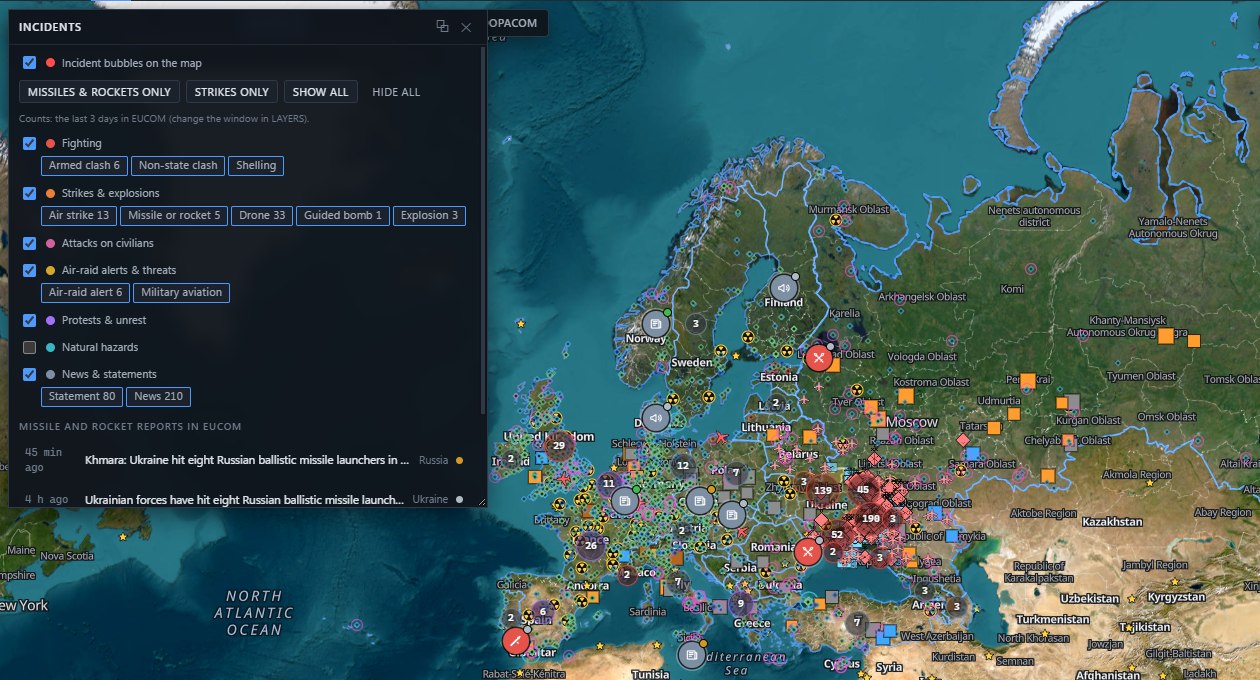
Choose exactly which incidents you see, and keep missile and rocket attacks in view where they matter most.

  • Switch each incident type on or off: armed clashes, shelling, air strikes, missiles and rockets, drones, guided bombs, air-raid alerts and more
  • Counts for the time window and the command you have picked
  • Quick sets: missiles and rockets only, strikes only, or everything
  • The latest missile and rocket reports, each linked to its source
More in the tour →
GIA's Incidents panel over Europe on satellite imagery: switches and counts for each incident type, quick sets for missiles and rockets or strikes, and the latest missile and rocket reports

Conflicts, with the basis for every label Free

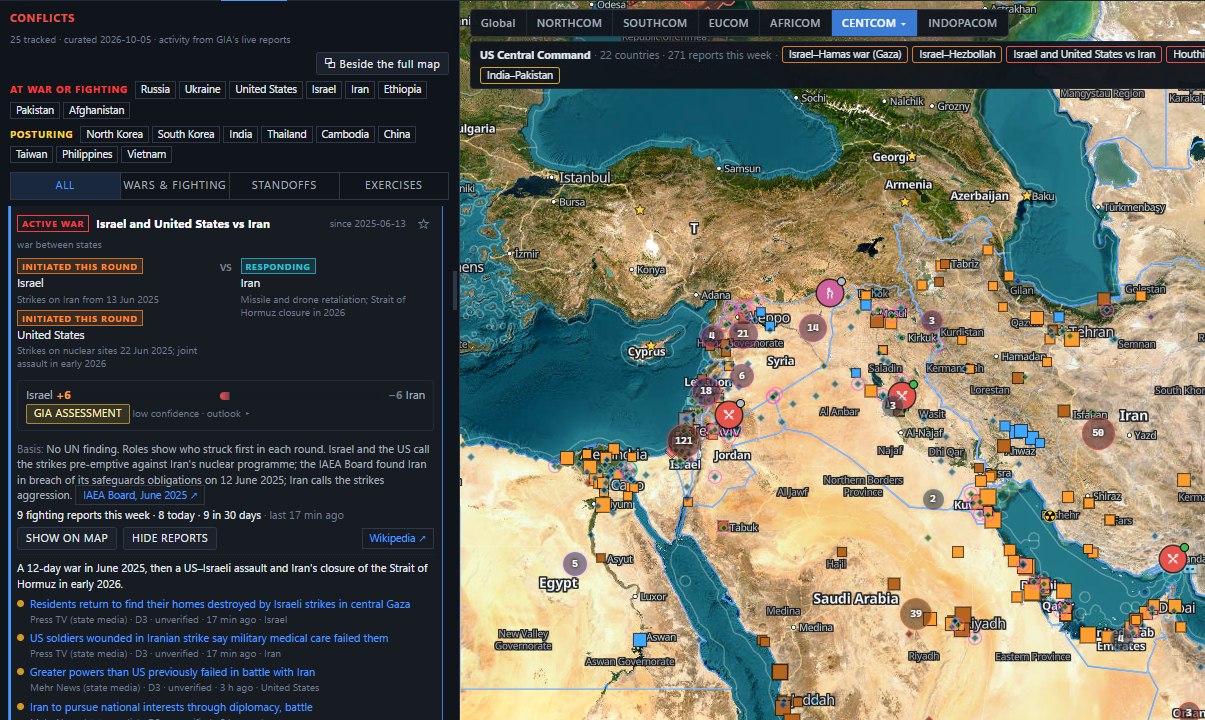
Twenty-five wars, insurgencies and standoffs, each with its parties, their roles and why GIA labels them that way.

  • "Aggressor" only where a UN body or an international court has found it; otherwise who opened the current round, with the date
  • Active or quiet is measured from live reports, not guessed
  • Front lines, the bases involved and one-click presets that open the conflict's card
  • Each country's Security tab lists the wars and standoffs it takes part in, and its role
More in the tour →
GIA's Conflicts view: the Israel and United States vs Iran card with each party's role and its basis, beside the region's reports and bases over satellite imagery

Every country, in depth Free

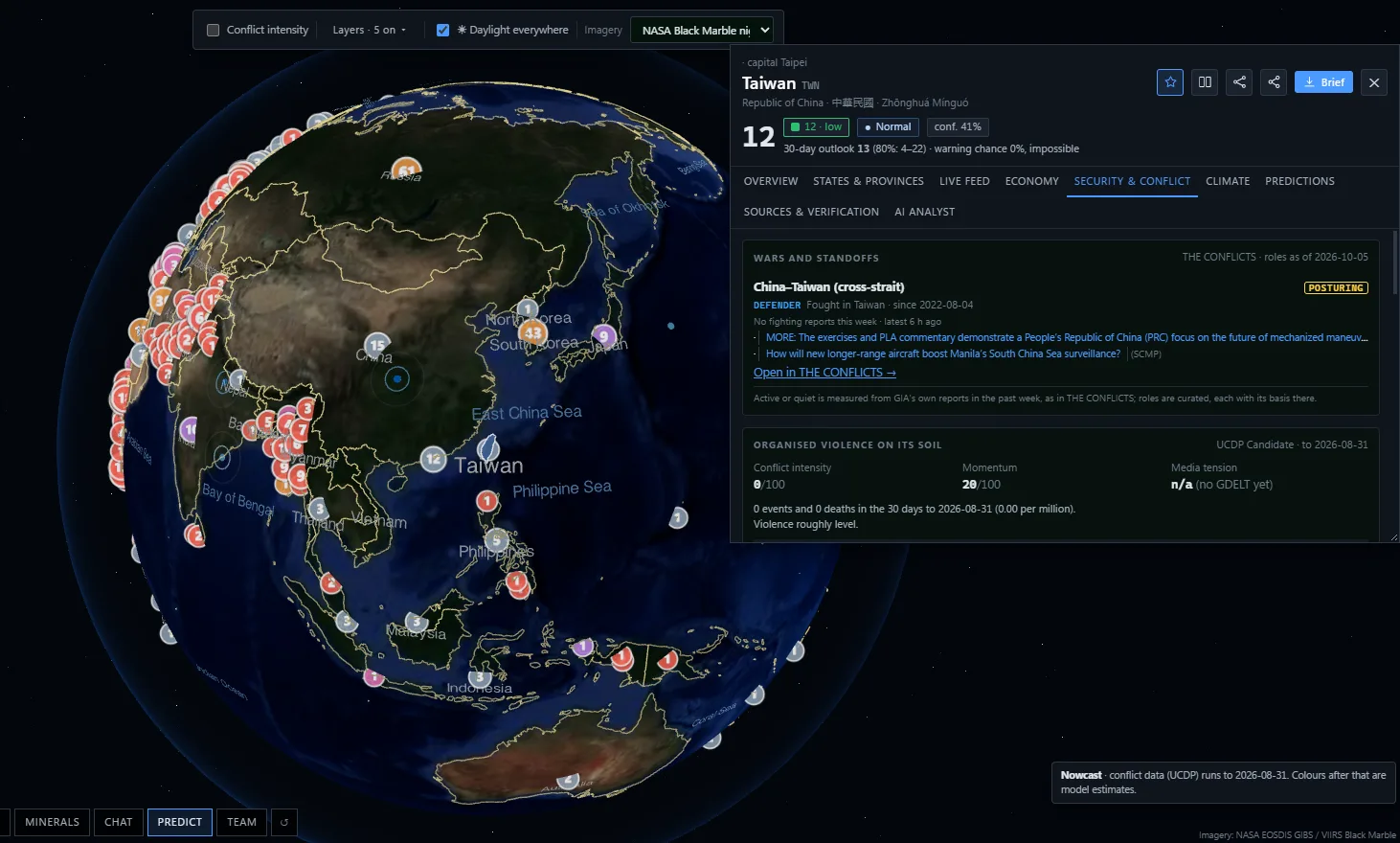
A brief for every country and for 4,593 states and provinces, built from public data and kept current.

  • Tension score with its factors and confidence, and a 30-day outlook
  • Security and conflict, the military, alliances and blocs, and a relationship network of allies and rivals
  • Climate: weather now, a 7-day forecast and the outlook ahead
  • Economy, leaders, elections, and where every number comes from
More in the tour →
Taiwan's country brief on the 3D globe with NASA imagery: tension score, the cross-strait standoff and organised violence

Resources: water and minerals Free

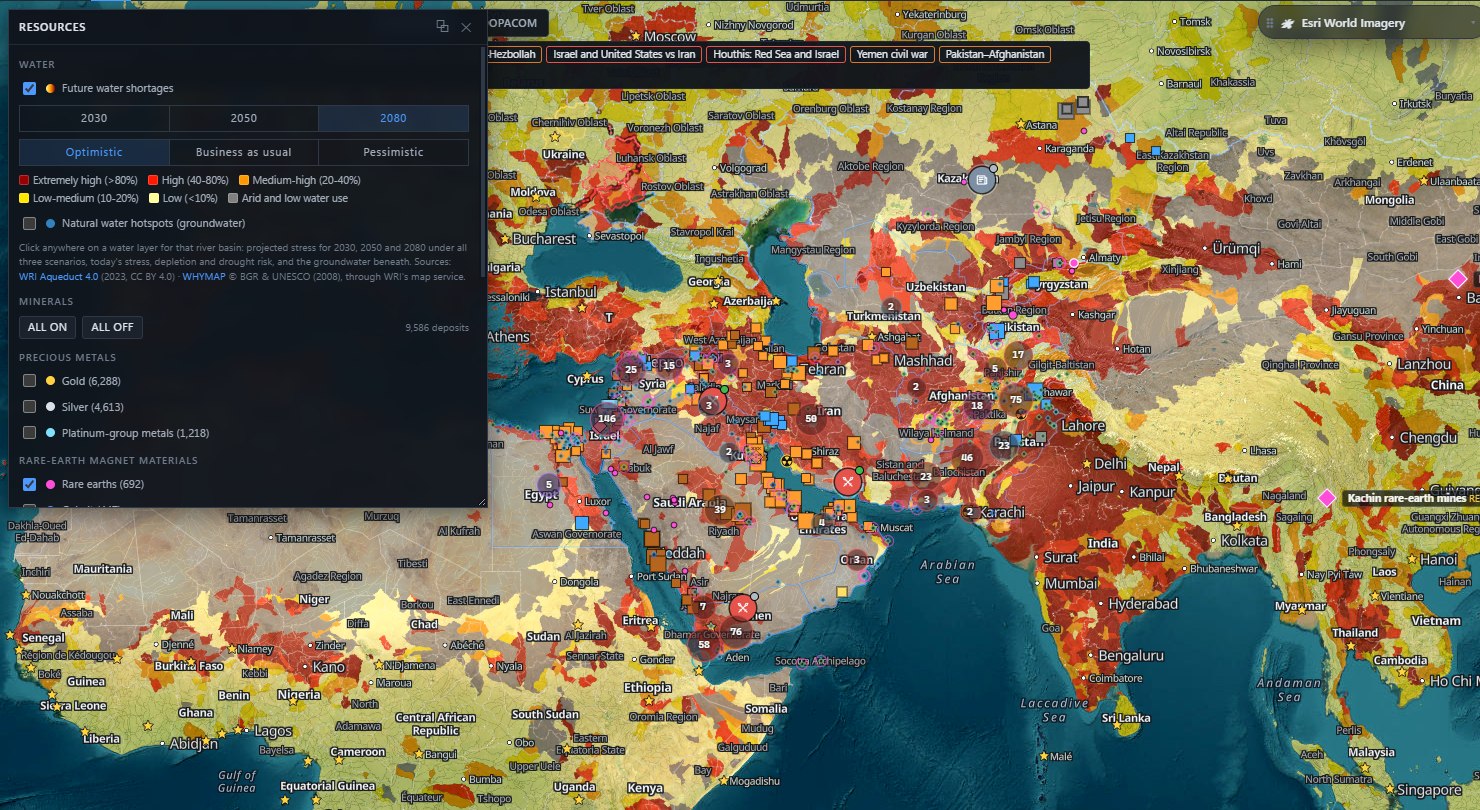
Where water will run short, where people live on groundwater, and where the minerals that matter are mined.

  • Future water shortages: each river basin's projected water stress in 2030, 2050 or 2080, under three scenarios
  • Natural water hotspots: where people live over major groundwater basins, by how fast rain refills them
  • 9,586 mineral deposits: gold, silver, platinum-group metals, rare earths and cobalt
  • The top producers of each, with how concentrated supply is
More in the tour →
GIA's Resources panel with future water shortages in 2080: river basins coloured by projected water stress across the Middle East, Central and South Asia over satellite imagery, with rare-earth deposits such as Bayan Obo labelled

Terror Orgs Free

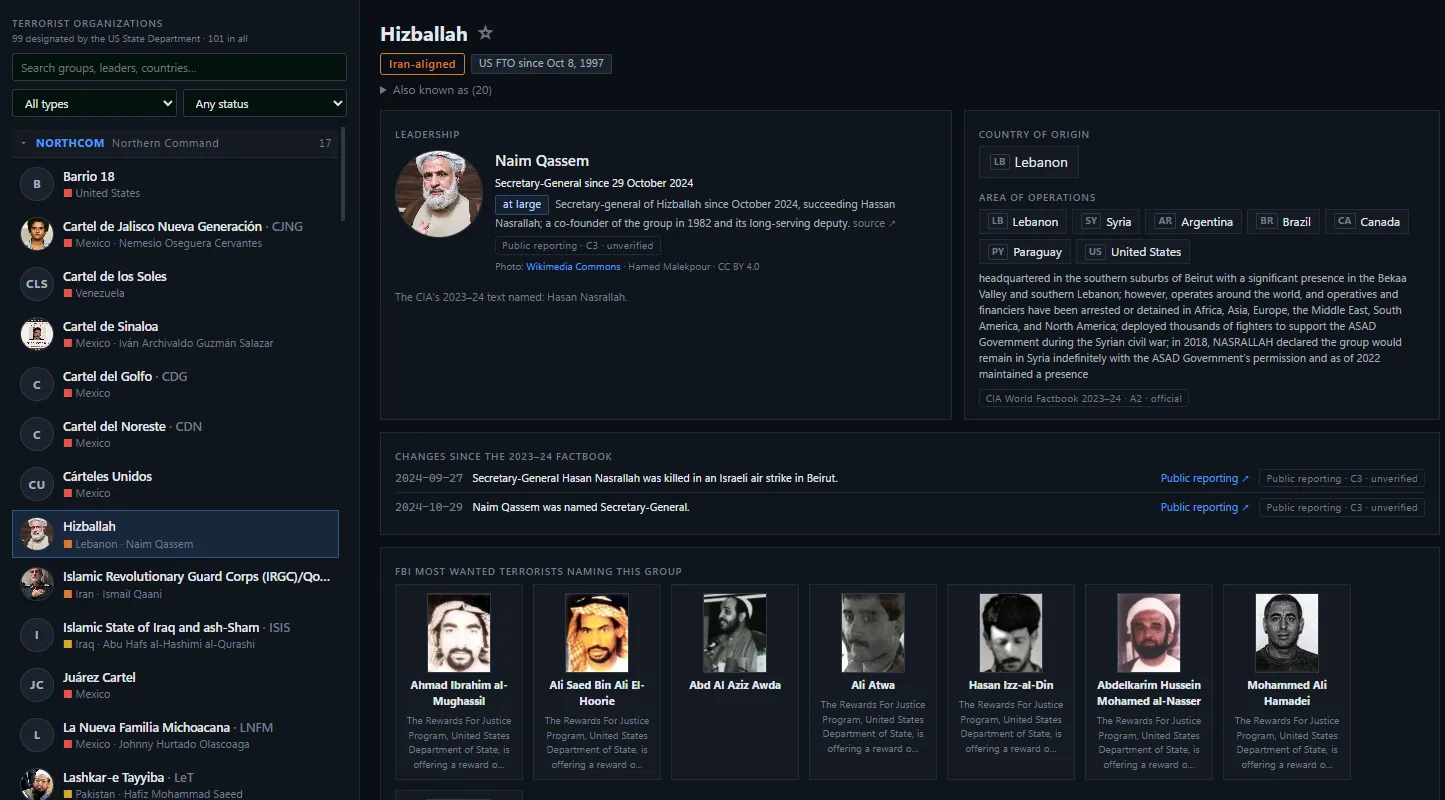
Every group the U.S. State Department designates, grouped by U.S. combatant command.

  • Leaders, where each group operates, its goals and history
  • FBI wanted notices naming the group
  • Each change in its designation, from the Federal Register
  • A group active in several commands' areas is listed under each
More in the tour →
GIA's Terror Orgs screen: groups listed by U.S. combatant command, and Hizballah's card with its leadership, area of operations and the changes since the 2023–24 Factbook

Gia, your advisor Pro

Ask about any country, conflict or trend for the bottom line, the reasoning and what to watch. Or tell her what to show, and she works the app for you.

  • Plain-English commands: open screens and panels, switch layers by area and owner, pick a command, apply a preset
  • Places and addresses: "show me 1600 Pennsylvania Avenue, Washington", "where is Kherson"
  • Facts from GIA's own data: a country's small arms, a weapon's figures, a country's history
  • Runs on your own computer through a free local AI model: your questions never leave it
More in the tour →
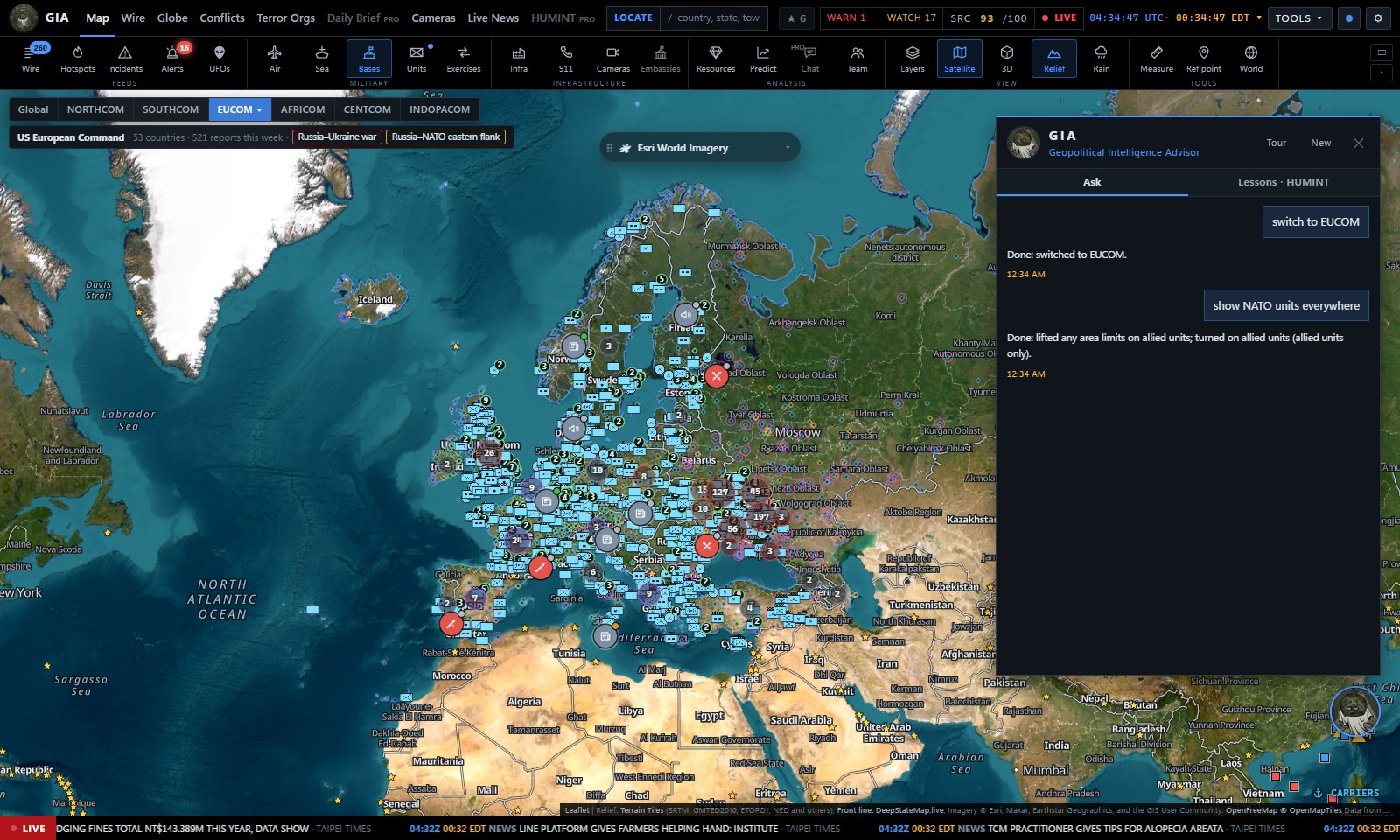
Gia, GIA's advisor, carrying out requests typed in plain English and saying what she did: switching to EUCOM and showing allied units everywhere, over satellite imagery

The Daily Brief Pro

Issued at 08:00 US Eastern: what changed overnight and what it means.

  • Facts with numbered evidence; judgements with standard likelihood terms and confidence
  • Each judgement states its period and is scored afterwards: a Brier score and how often each likelihood word held
  • Foreign threats, the homeland, conflicts and a watch list of warning signs
  • Gaps are named, never filled with guesswork
More in the tour →
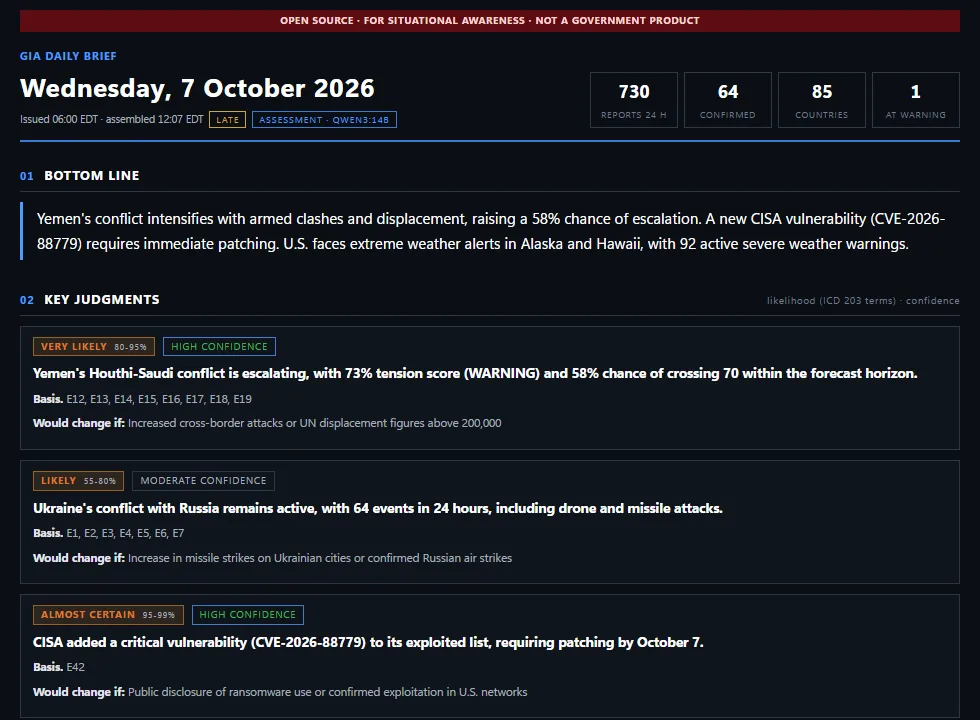
The GIA Daily Brief: the bottom line and key judgements, each with likelihood, confidence and evidence

Simulation mode (add-on) Pro

An add-on to GIA's intelligence picture: play out today's crises, from a Taiwan quarantine to the fight for Donetsk's fortress belt, down to each vehicle and soldier. Experimental, and marked as a simulation throughout.

  • Sixteen crises of the moment across the Middle East, the Western Pacific, Europe, South Asia and Africa, each with a briefing and its sources; Ukraine's front as it is held today, the four-chapter Fortress Belt campaign, training exercises and a tutorial
  • Each side's AI fights by its country's doctrine (Russian fires then echelons, U.S. and NATO air-land precision, China's system destruction and more) and plays out differently every time; command alone, with a staff, or watch AI against AI
  • Every unit has a mission, and every vehicle and soldier acts for itself: columns march with an advance guard and flank guard and deploy in their order of march; infantry ride to the dismount line and lead on foot; soldiers take the cover round them and go to ground under a drone; crews can take a wrong turning or break down and end up cut off near the enemy
  • Radar, eyes, radar warning and sonar; missiles and torpedoes that fly and can be seen coming, dodged, decoyed or shot down; shells on their arcs and drones on their sorties; every hit or miss states its odds and why
More in the tour →
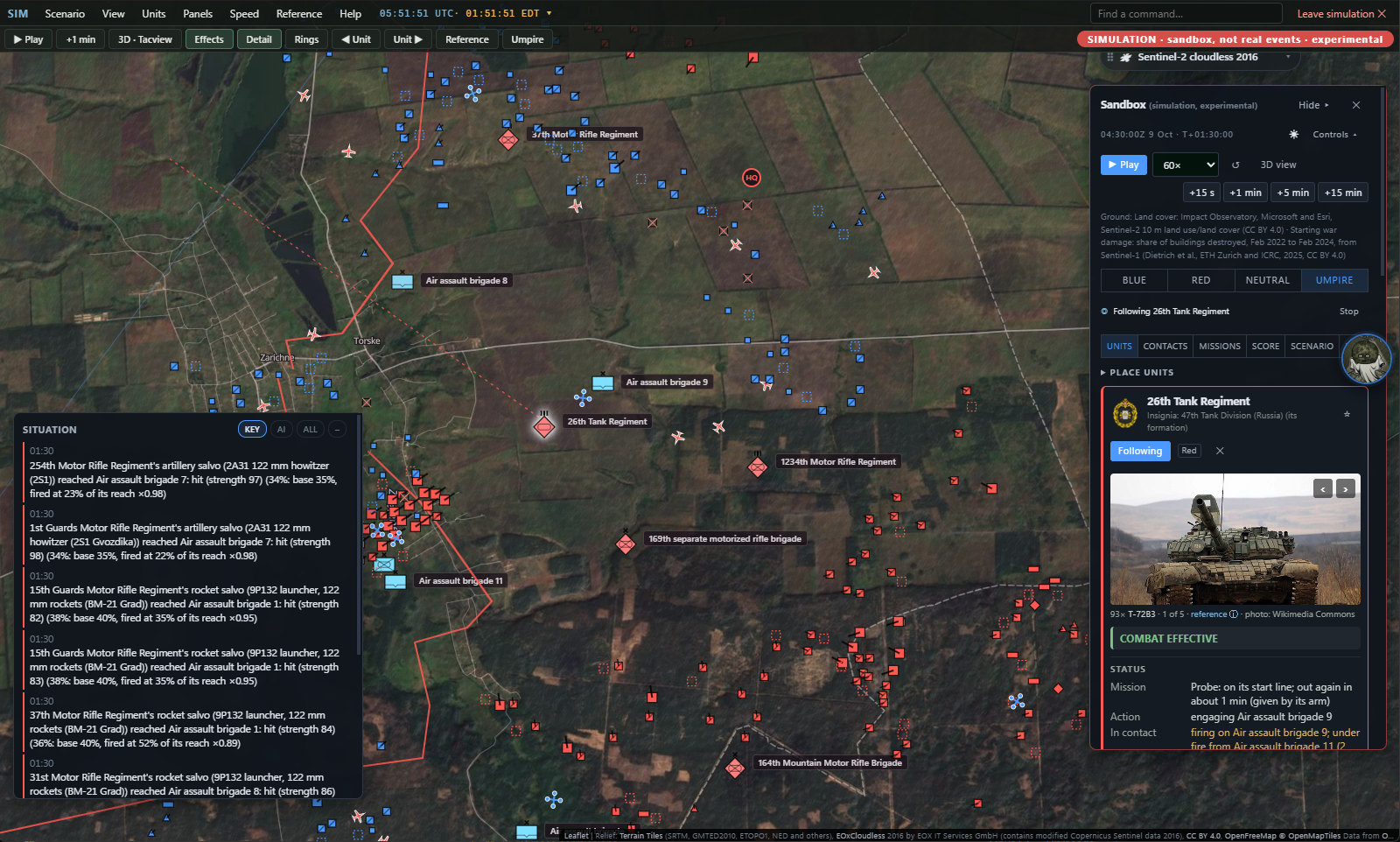
Simulation mode on satellite imagery: the Fortress Belt battle near Lyman, Ukrainian and Russian formations in NATO symbols with their drones and positions, the situation feed of artillery and rocket hits with their odds, and the 26th Tank Regiment's card with its division's insignia, a photo of its T-72B tanks, its mission and what it is doing

And there is more

Combatant command views Free

Pick NORTHCOM, EUCOM, CENTCOM or another command and every layer you have on shows only what is inside its area. One-click presets for each command and each major war.

Ships, aircraft and bases Free

Live ships and aircraft with photos of each type, the U.S. carrier fleet, and military bases worldwide, with those of countries set against the U.S. and its allies ringed in red.

Live News and cameras Free

Live TV news from the major networks and live cameras from around the world, side by side in a split viewer. Open any screen in its own window.

The HUMINT course Pro

37 modules on human-source collection from the public U.S. Army manual FM 2-22.3, with exercises, a printable worksheet, and Gia to teach each lesson.

Team rooms Pro

Share notes, reports and chat with your team, encrypted end to end. Creating a room is Pro; anyone you invite can join free. GIA Team brings Pro to five people.

Map tools and shortcuts Free

Measure distances, drop reference points, move the toolbar to any edge, and reach every screen and tool from the keyboard. Saved 3D views with GIA Pro.

Private by design Free

No adverts, no analytics, no trackers. What you keep in GIA is encrypted on your own computer, and Gia's questions never leave it.

300+ graded sources Free

Official, research and news sources, each with its own health status, and every item with its Admiralty grade and a link to the original.

Private by design

Your work stays yours.

GIA does not track you. What you keep in it is encrypted on your own computer.

Encrypted on your PC

Notes, favourites, settings and team rooms are sealed with AES-256 using a key held in your computer's own key store. Add a passphrase to lock GIA completely.

End-to-end team rooms

Everything shared in a team room is encrypted before it leaves your computer, with a key from the room's passphrase.

Private sessions

Open GIA in a private session and nothing you look at, search or write is kept once it closes.

No tracking, no ads

No adverts, no analytics, no trackers. Your information is never sold or shared. This website doesn't track you either.

Your keys stay yours

API keys and your sign-in live in your computer's key store, never in GIA's files or on its server.

Minimal AI

Facts come from named sources, not AI. The only model is a free, open one that runs locally, and what it writes is labelled.

Read the privacy policy for exactly what is kept and why.

Still growing

New features most days.

GIA is built by one developer and is in active development: new sources and features ship most days, and installed copies update themselves. What shipped lately, and what is being built next.

Shipped lately

  • GIA 0.3.81 reached every installed copy and the browser edition, with the changes listed here for 10 to 12 November.
  • Every copy of GIA can send the developer a short crash report when it hits an error, off until you say yes. GIA asks once, the first time it hits an error, and the switch is in Settings → Contact the developer. Reports are linked to no account, carry no searches or article text, and are deleted after 30 days.
  • GIA 0.3.80 reached every installed copy and the browser edition, with the changes listed here for 7 to 9 November.
  • On the forum, press Report on a post that breaks the forum rules; only the developer sees reports. A new free account can post, reply and vote an hour after it is made, which keeps throwaway accounts out. Reading and reporting work at once.
  • HVI testers can choose to share anonymous usage counts, off until they turn them on: once a day, how many times each view, panel, map layer and dialog was opened, by name only. GIA's server keeps only each day's totals for all testers together, linked to no account, for 90 days. The privacy section of the terms now says so, so everyone is asked to accept the terms once more.
  • GIA 0.3.79 reached every installed copy and the browser edition.

Every update, day by day →

Coming next Planned

  • More agencies on the 911 mapMore police, fire and EMS feeds as agencies publish them, checked automatically across every US state.
  • macOS and LinuxGIA for Mac and Linux PCs, alongside Windows.
  • More sourcesMore official and research feeds and deeper communications-equipment coverage, each graded and linked like the 100 GIA reads today.

Plans, not promises of a date.

Pricing

Free to use. Pro for the analysis.

Most of GIA is free, for good. Pro adds the analysis, the Daily Brief and the HUMINT course, with the first week free. Team brings Pro to five people.

Free
$0

The map and the Wire need no account at all.

  • Live map and the Wire, every report sourced
  • With a free account: every layer and filter, country briefs, Conflicts, Terror Orgs and the globe
  • ORBAT browser and live cameras
  • Join a team room someone shares with you
Coming soon
GIA Team
$49/ month

First 7 days free. GIA Pro for five people on one subscription.

  • Everything in GIA Pro for up to 5 accounts, yours included
  • Add or swap teammates by username at any time
  • Each person signs in on their own PC
  • For newsrooms, classes, research groups and small teams
Coming soon
Supporter
$100/ month

Everything in Pro, for people who want GIA to grow.

  • All of GIA Pro
  • A permanent Supporter badge
  • Directly funds new sources and features
Coming soon

Subscribe inside GIA (Settings → Subscription), through Stripe (card, Cash App Pay, Apple Pay, Google Pay and more) or PayPal. Subscriptions renew automatically every month, or every year on the yearly plan, at the price shown until you cancel. Nothing is charged during the free week; cancel before it ends and you pay nothing. Cancel any time in GIA or with your payment service, and you keep Pro to the end of the period you paid for. Payments are not refunded once charged, except a double or mistaken charge (see the terms). Or buy a prepaid month or year through Venmo (US accounts), which does not renew. Prices in US dollars; sales tax or VAT may apply.

Questions

Frequently asked

What is GIA?

GIA, Global Intelligence Analysis, is a desktop intelligence workstation for Windows. It puts live reports of fighting, strikes, alerts, protests and hazards from more than 300 official and open sources on one map, with military units, conflicts, country briefs, terror groups and natural resources beside them. Every item names its source, carries an Admiralty grade and links to the original.

Who is GIA for?

Anyone who follows world events closely and wants to see the evidence: analysts and researchers, journalists and newsrooms, students and teachers of international affairs, and security and risk teams. It is independent open-source analysis, not a government product.

Is GIA free?

Yes. The live map and the Wire work without an account. A free account adds every map layer and filter, country briefs, Conflicts, Terror Orgs, the globe, the ORBAT browser and live cameras, and lets you join a team room. GIA Pro adds the analysis (Gia, the AI analyst, the Daily Brief and the HUMINT course), simulation mode, sharp satellite imagery and live ships with no keys of your own, PDF briefs and CSV exports, and creating team rooms.

Where does the information come from?

From the organisations that publish it: official government and international feeds, conflict datasets such as UCDP and GDELT, research institutes, newsrooms, and open data such as OpenStreetMap and multiple other databases: more than 300 sources, about 140 of them official datasets and government, research and military feeds, more than 110 news and analysis outlets, and a nonprofit newsroom for every US state, plus over 130 US police, fire and 911 feeds. GIA reaches them through their official interfaces and published files. Every item names its source, carries an Admiralty grade and a verification status, and links to the original.

Does GIA use AI?

As little as possible. Facts come from the sources, not from AI. The only AI is a free, open-weights model that runs on a computer, not a cloud AI service: on yours for Gia and the AI analyst, and on the developer's for the assessment in the published Daily Brief. Anything it writes is labelled and kept apart from the facts.

Do I need a powerful computer?

GIA itself runs on any 64-bit Windows 10 or 11 PC. Gia and the AI analyst run a local model through the free Ollama app: a graphics card with about 10 GB of memory runs it comfortably, and it still works, more slowly, without one. The Daily Brief is written on the developer's computer and published to subscribers, so it needs nothing from yours.

Does GIA track me?

No. There are no adverts, no analytics and no tracking services, and your information is never sold or shared. The details are in the privacy policy.

Is this a government product?

No. GIA is independent open-source analysis, built by one developer. It is not affiliated with, endorsed by or speaking for any government or agency.

What about macOS and Linux?

GIA is available for Windows now. macOS and Linux builds are being prepared.

Is there a free trial?

Yes. GIA Pro and GIA Team start with 7 days free. The first payment is taken when the week ends, and the subscription then renews automatically every month or year until you cancel; cancel before the week ends and you pay nothing.

Are there discount codes?

No. GIA has no discount codes: every subscriber pays the listed price for their plan. The free week lets you try GIA Pro before you pay anything.

How does GIA Team work?

One person subscribes for $49 a month and adds up to four teammates by their GIA usernames. Each teammate signs in to their own free account on their own PC and has everything in GIA Pro. Seats can be swapped at any time, and a teammate can leave whenever they like.

How do I cancel?

In GIA under Settings → Subscription, with the link in Stripe's receipt email, or in your PayPal account. Cancelling stops every future charge, and you keep Pro until the end of the period you paid for.

Can I get a refund?

Payments are not refunded once charged, and neither are partly used months or years: the free week is the way to try GIA Pro first, and you can cancel any time to stop the next charge. A double or mistaken charge is always refunded: ask through Settings → Contact the developer or the support page, with your subscription or pass number. The terms of use have the details.
See the world as it is reported.

GIA for Windows is coming soon. Free, no account needed to start.